
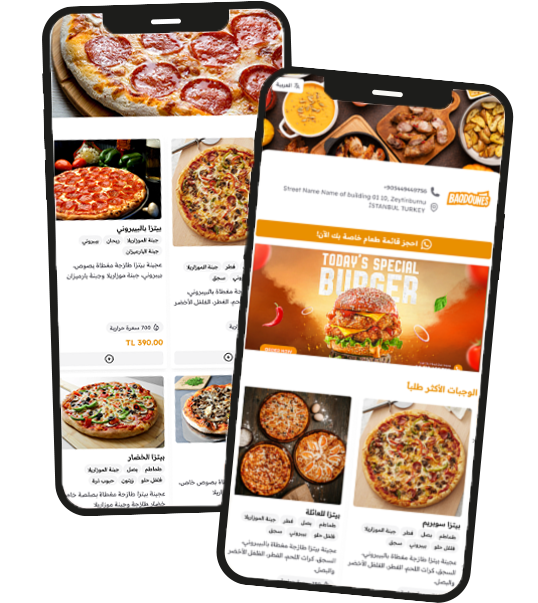
QR Menu with “Add to Home Screen”: The App Experience Without the App Store
In the digital age, being “one tap away” from your customer is the ultimate competitive advantage. A QR menu with “Add to Home Screen” functionality allows your guests to save your restaurant directly to their mobile devices, providing a premium, app-like experience without the friction of a traditional download.
Why “Add to Home Screen” is a Game-Changer
Instant Re-Ordering: Once a customer adds your menu to their home screen, they don’t need to scan a QR code next time. They simply tap your icon and order from home or on their way to your branch.
Powered by PWA Technology: This isn’t just a bookmark. Using Progressive Web App (PWA) technology, your menu loads instantly, works smoothly on all devices, and feels like a native application.
Brand Real Estate: Your restaurant’s logo sits right next to major apps like Instagram or WhatsApp. This constant visual presence significantly boosts customer loyalty and brand recall.
Zero Storage Barriers: Unlike traditional apps that take up megabytes and require updates, your installable QR menu uses almost no storage and is always up-to-date with your latest prices and items.
Unified Multi-Branch Access: If you manage multiple branches, customers can save the menu once and easily select their preferred location every time they open the “app.”
Seamless WhatsApp Integration: Even from the home screen, the ordering process remains simple. Customers build their cart and send the order directly to your staff via WhatsApp in seconds.
Maximize Your Marketing with Analytics
By encouraging guests to “Add to Home Screen,” you can use your professional dashboard and visitor analytics to see how many loyal users are returning to your menu daily. This data allows you to create targeted offers for your most frequent “app” users.